ROI of AI: How Network Bottlenecks are Wasting 30% of Your GPU Investment
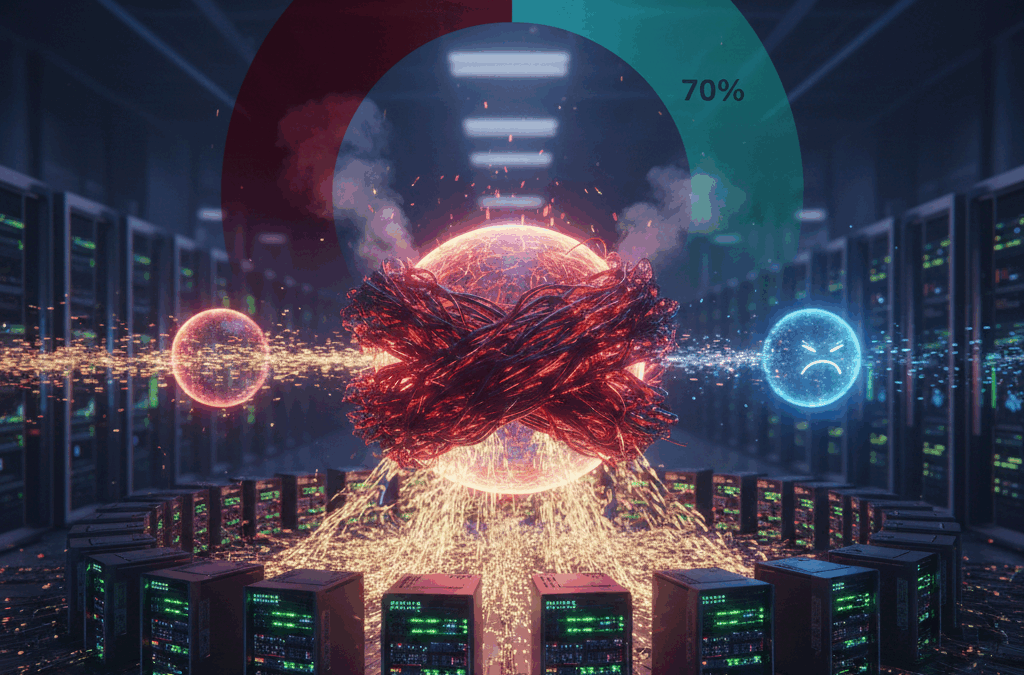
In the race to achieve Artificial Intelligence supremacy, enterprises are pouring millions into high-performance GPUs like the NVIDIA H100 and B200. However, there is a silent “tax” eroding the ROI of these investments. Recent industry benchmarks show that unoptimized networks can leave GPUs idling for up to 30% of their compute cycles.
If your network isn’t built for AI, you aren’t just facing slow performance—you are actively burning your capital budget.
The “Starvation” Problem: Why Your Network is Killing Your ROI
The math of AI infrastructure is brutal. When you scale from a single server to a cluster, the network becomes the backplane of the computer. In standard enterprise environments, traditional Ethernet is “lossy.” When congestion occurs, packets are dropped and retransmitted.
In an AI training or inference environment, this causes Tail Latency. Because AI workloads rely on “All-Reduce” collective operations, the entire GPU cluster must wait for the slowest packet to arrive before moving to the next calculation.
The Result: Your $40,000 GPUs sit idle, drawing peak power while waiting for data. This “GPU Starvation” is the single greatest threat to AI project viability in 2026.
3 Ways Network Bottlenecks Drain Your Budget
- Extended Training Windows
If a model that should take 10 days to train takes 13 due to network jitter, you’ve lost 3 days of time-to-market. In the competitive AI landscape, those 72 hours can be the difference between a market-leading product and an obsolete one.
- Higher Cloud & Power Costs
Idle GPUs still consume massive amounts of electricity. If your network efficiency is low, your “Performance per Watt” plummets, driving up OpEx and sabotaging your corporate sustainability goals.
- The Inference Lag
For customer-facing LLMs, network bottlenecks increase Time to First Token (TTFT). If your network adds 100ms of latency to a RAG (Retrieval-Augmented Generation) request, the user experience feels sluggish, leading to lower adoption and churn.
Designing a Lossless Fabric: The Macronet Services Approach
To reclaim your 30% lost investment, your infrastructure must move beyond “standard networking.” Macronet Services specializes in transitioning enterprises to AI-Ready Global Networks.
Key Technologies for AI Optimization:
- RoCE v2 (RDMA over Converged Ethernet): Allowing GPUs to access each other’s memory directly without CPU intervention, slashing latency.
- Ultra Ethernet Consortium (UEC) Standards: Moving toward a modern, non-proprietary alternative to InfiniBand that scales to 800G and beyond.
- Adaptive Routing: Dynamically rerouting traffic to avoid the “hotspots” that cause tail latency.
- Deep Buffer Switching: Using specialized silicon (like Broadcom Jericho3-AI) designed specifically to handle the “incast” traffic patterns unique to AI.
Conclusion: Don’t Let Your Infrastructure Limit Your Intelligence
A GPU cluster is only as powerful as the network that connects it. By optimizing your fabric, you don’t just speed up your models—you effectively “buy back” 30% of your hardware budget.
At Macronet Services, we bridge the gap between traditional networking and the high-demand requirements of the AI era. We ensure your data moves as fast as your innovation.
Is Your Network ready for the demands of AI? Contact us anytime for a conversation about your AI strategies.
Frequently Asked Questions
1. Why is my GPU utilization low during AI training?
Low GPU utilization (often below 70%) is usually a sign of “GPU Starvation.” This happens when your network fabric cannot move data fast enough to keep up with the compute cycles. If your network isn’t optimized for collective communication, your expensive GPUs spend 30% or more of their time idling, waiting for the next data packet.
2. What is “Tail Latency” and how does it affect AI ROI?
In AI clusters, the entire training job moves at the speed of the slowest packet—this is “Tail Latency.” Even if 99% of your data arrives instantly, a single delayed packet can stall thousands of GPUs. This inefficiency directly increases your Job Completion Time (JCT) and wastes your infrastructure budget.
3. Can I run AI workloads on standard Enterprise Ethernet?
Standard Ethernet is “lossy,” meaning it drops packets during congestion. For AI, this is catastrophic because retransmissions cause massive delays. To see a real ROI, you must transition to a “Lossless Ethernet” fabric using protocols like RoCE v2 or the Ultra Ethernet Consortium (UEC) standards.
4. How much money am I losing to network bottlenecks?
If your GPUs are idling at 30% due to network lag, you are effectively losing $300,000 for every $1M spent on hardware. When you factor in power, cooling, and delayed time-to-market, the real cost of a bottlenecked network is often higher than the cost of the networking gear itself.
5. What is RoCE v2, and do I need it for AI?
RoCE v2 (RDMA over Converged Ethernet) allows GPUs to talk directly to each other’s memory without involving the CPU. This “zero-copy” transfer is essential for reducing the latency that typically bottlenecks LLM training and large-scale inference.
6. InfiniBand vs. RoCE v2: Which is better for AI in 2026?
InfiniBand offers the lowest raw latency but comes with vendor lock-in and higher costs. RoCE v2 on high-performance Ethernet (like 400G/800G) has become the enterprise favorite for its flexibility and better price-to-performance ratio, provided it is configured correctly by experts.
7. How does networking impact “Time to First Token” (TTFT) in inference?
Inference ROI is measured by user experience. If your network has high jitter, the “Time to First Token” increases, making your AI feel laggy. For real-time applications, an optimized network is the difference between a seamless product and a failed user experience.
8. Does the network affect RAG (Retrieval-Augmented Generation) performance?
Yes. RAG requires your AI to fetch data from external databases instantly. If the network between your LLM and your vector database is slow, your “intelligent” response will be delayed, regardless of how fast your GPUs are.
9. Why is “All-Reduce” performance critical for AI networking?
AI training involves a process called “All-Reduce,” where GPUs constantly synchronize their findings. If the network fabric isn’t designed for this “East-West” traffic, the synchronization becomes a bottleneck, leading to the 30% performance loss mentioned in our ROI study.
10. Can I optimize my current network for AI without a full “rip and replace”?
Often, yes. Many bottlenecks are caused by improper buffer tuning, lack of Priority Flow Control (PFC), or sub-optimal leaf-spine topologies. A professional audit can often reclaim significant performance through configuration and strategic upgrades.
11. What is the role of 800G Ethernet in AI data centers?
As models grow, 400G is becoming the baseline. 800G Ethernet provides the massive “pipe” necessary to prevent data congestion at the switch level, ensuring that the latest generation of GPUs (like NVIDIA’s Blackwell) aren’t throttled by bandwidth.
12. How does networking affect the “Performance per Watt” of an AI cluster?
An unoptimized network keeps GPUs powered on and drawing peak electricity while they are “waiting.” By fixing network bottlenecks, you complete training jobs faster, significantly reducing the total energy cost per model.
13. What are the signs that my network is “starving” my AI models?
Look for high “iowait” times, inconsistent training epochs, and GPU utilization charts that look like “sawtooth” patterns rather than steady high bars. These are classic symptoms of a network that can’t feed the beast.
14. Is “Inference at the Edge” less dependent on networking?
Actually, it’s more dependent on a different kind of networking. Edge AI requires ultra-low latency and high reliability over potentially unstable connections. Optimizing the “last mile” is critical for mobile and IoT-based AI ROI.